Contents
- UPS Battery Not Charging: Symptoms
- Quick Overview by Cause
- 1. The Battery May Have Reached the End of Its Life
- 2. The Battery May Be Deeply Discharged
- 3. Connection, Cable or Fuse Problem
- 4. The UPS Charging Circuit May Be Faulty
- 5. The Ambient Temperature May Be Too High
- 6. Incompatible or Mixed Batteries
- Does the Battery Charge When the UPS Is Switched Off?
- Checks You Can Do Yourself
- Battery Replacement or Service? Decision Table
- Recommendations to Prevent Charging Problems
- Frequently Asked Questions
If your UPS is connected to the mains but the battery indicator does not fill up, the battery warning light is on, or the unit lasts only a few seconds at an outage, you are most likely facing the same problem: “the UPS battery is not charging.” In this situation the UPS cannot do its job at the very moment you need it most, when the power goes out.
A battery that does not charge is not always a failed battery. Connections, fuses, environmental conditions or the UPS charging circuit can cause the same symptom. In this guide we explain, step by step, the most common reasons a UPS battery does not charge, the symptoms and the solutions.
UPS Battery Not Charging: Symptoms
- The battery level on the display does not rise despite waiting a long time,
- “Replace battery”, “Battery low” or the battery warning light is constantly on,
- The UPS beeps at intervals to report a battery problem,
- The UPS shuts down immediately or lasts very briefly when the power goes out,
- The battery test (self test) fails.
If one or more of these symptoms are present, you can go through the causes below in order.
Quick Overview by Cause
| Cause | Typical sign | Solution |
|---|---|---|
| Battery has reached end of life | Battery warning, immediate shutdown at outage | Battery replacement |
| Deep discharge | Battery does not charge after a long outage | Service test, replacement if needed |
| Connection / fuse problem | “No battery” warning despite new batteries | Check connections and fuse |
| Charging circuit fault | Even healthy batteries do not charge | UPS board repair |
| High ambient temperature | Battery gets hot, short life | Improve ventilation |
| Incompatible battery | Problem started after replacement | Use the correct battery type |
1. The Battery May Have Reached the End of Its Life
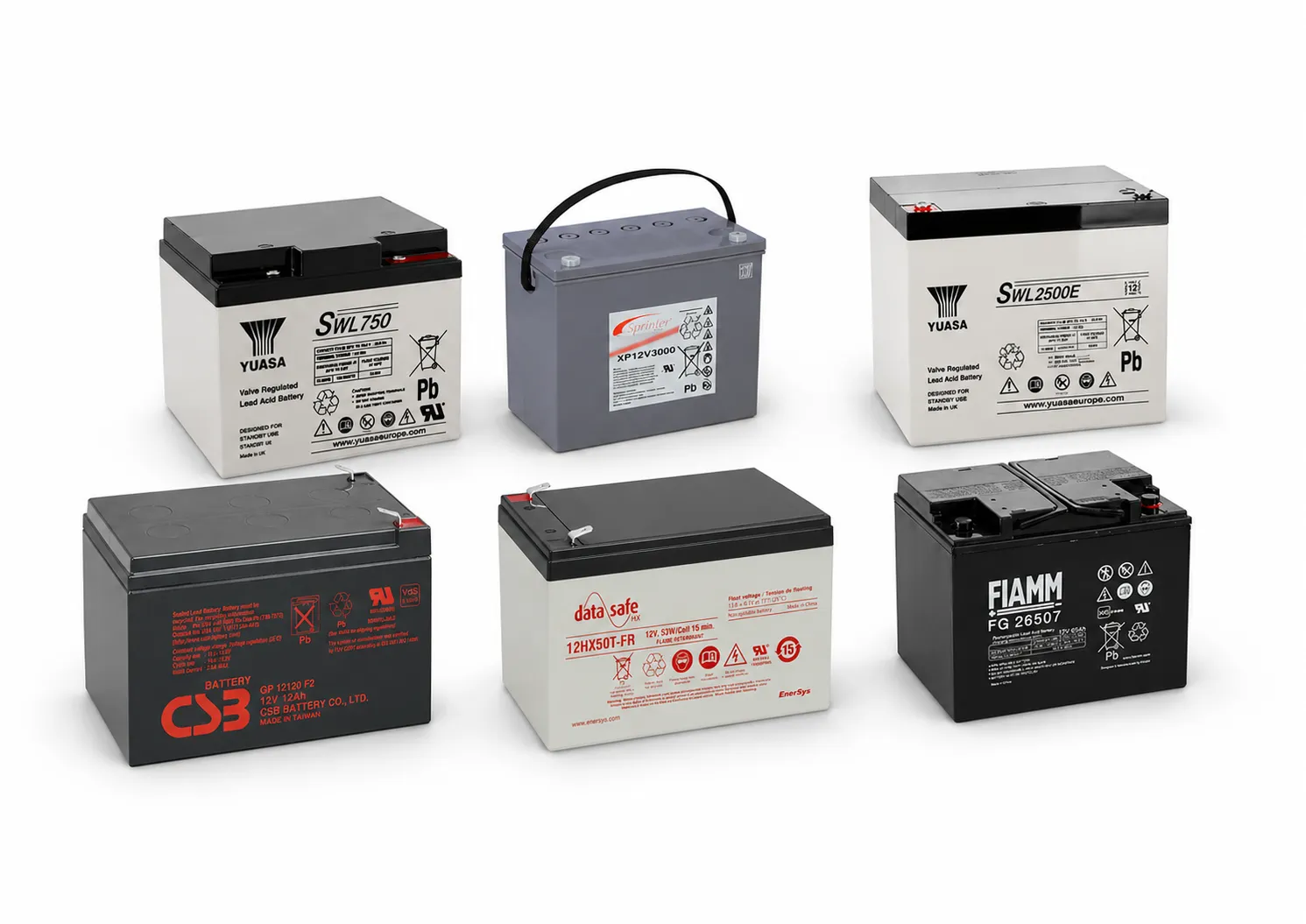
This is the most common cause. The maintenance-free sealed (VRLA / AGM) batteries used in UPS systems lose capacity over time depending on age and conditions of use. Sulphation forms on the plates inside an ageing battery; even if the battery accepts charging current, it cannot store the energy. Even if the display shows the battery as full, the voltage drops rapidly under load.
A battery that has reached the end of its life cannot be rescued by charging; the solution is to replace it. We describe the signs that it is time to replace the battery in detail in our article when should UPS batteries be replaced.
2. The Battery May Be Deeply Discharged
During a long outage, the UPS uses the battery down to its cut-off point. If the UPS then stays off for a long time or the power does not return, the battery voltage drops to very low levels. Some deeply discharged batteries are detected by the UPS charging circuit as “no battery” or “faulty battery”, and charging is not started.
Batteries in this condition can sometimes be brought back into use with special charging procedures, and sometimes they are permanently damaged. Only a test with suitable measuring equipment shows which applies. The same problem can occur with UPS units kept in storage for a long time; unused UPS units should be connected to the mains at intervals to charge their batteries.
3. Connection, Cable or Fuse Problem
If the battery is new but the UPS gives a “battery not connected” warning, the problem is most likely in the connections:
- A loose or incorrectly connected battery terminal,
- An oxidised or damaged connector,
- Batteries connected in the wrong order in the string,
- A blown battery fuse or a damaged battery cable.
Safety warning: Battery strings, especially in high-power UPS units and external battery cabinets, carry high DC voltage. Only authorised technical personnel should work on these connections.
4. The UPS Charging Circuit May Be Faulty
If the UPS does not charge batteries that are known to be healthy, the problem is in the unit's charging circuit. A fault in the charger board, fuse, relay or control board prevents the UPS from supplying energy to the batteries. In this case replacing the batteries does not solve the problem; the new batteries also run down after a while and the same symptoms reappear.
Correct diagnosis of charging circuit faults requires the unit to be examined with measurements and tests at a technical service. If you see an error code on your display, our guide UPS error codes and their meanings can give you a first idea.
5. The Ambient Temperature May Be Too High
Heat is the biggest enemy of lead-acid batteries. Batteries operating in unventilated cabinets, hot zones of server racks or in direct sunlight wear out quickly. Some UPS units reduce the charging current or stop charging at high temperatures to prevent damage to the battery.
- Place the UPS in a cool, dry, well-ventilated location,
- Do not block the unit's air inlets and outlets,
- In dusty environments, have the fans and ventilation channels cleaned regularly.
6. Incompatible or Mixed Batteries
If charging problems started after a battery replacement, battery compatibility should be checked. The UPS charging circuit is set for a specific voltage and battery type. Using batteries of a different voltage, a different technology (for example gel or lithium not supported by the UPS) or different capacities and ages together upsets the charging balance.
In series-connected battery strings, all batteries must be the same brand, the same capacity and the same age. Replacing just one battery can cause the new battery to fail quickly too, because of the older batteries. If you are considering a capacity change, see our article can I fit a 9 Ah battery instead of 7 Ah in a UPS.
Does the Battery Charge When the UPS Is Switched Off?
This varies from model to model. Many UPS units charge the batteries as long as they are connected to the mains, even if the output is switched off. On some models, the UPS must be switched on to charge. Check your unit's user manual; if you are not sure, leaving the UPS connected to the mains and switched on is the safest way.
Checks You Can Do Yourself
- Make sure there is power at the socket the UPS is plugged into and that the input cable is intact.
- Note the warning on the display or indicators.
- Leave the UPS on mains for a sufficient time and see whether the battery level changes.
- Check whether the unit is getting hot and that ventilation is clear.
- If the batteries show swelling, overheating, odour or leakage, switch the UPS off immediately and do not use it.
If the problem persists after these checks, having the cause identified by measurement rather than guessing prevents unnecessary battery replacement.
Battery Replacement or Service? Decision Table
What users with charging problems most want to know is whether they should simply buy new batteries or send the unit for service. The table below guides an initial assessment:
| Situation | Likely solution |
|---|---|
| Batteries have been in use for a long time, no other problem with the UPS | Battery replacement |
| New batteries fitted but still not charging | Service inspection (connections or charging circuit) |
| Batteries show swelling, overheating or odour | Switch off the UPS; replace batteries and check the charging circuit |
| Error code on the display | Service assessment based on the error code |
| The UPS has been in storage for a long time | Charge first, then test the batteries |
Recommendations to Prevent Charging Problems
- Have periodic tests done: Battery tests reveal weakening batteries before an outage occurs. For details, see why UPS maintenance matters.
- Keep temperature under control: Keep the UPS away from heat sources and direct sunlight.
- Allow time to charge after long outages: If a new outage occurs before the batteries are full, backup time is shorter.
- Replace the string together: Instead of replacing only one of the series-connected batteries, renew the whole string at the same time.
- Use a UPS of the right capacity: A UPS that constantly runs at its limit discharges the batteries more often and more deeply.
Frequently Asked Questions
If the UPS battery is not charging, is it the battery or the UPS?
Both are possible. If a healthy battery does not charge either, the problem is in the UPS charging circuit; a battery that charges without problems in another unit is most likely healthy. A test is needed for a definitive diagnosis.
Does the battery of a UPS that has not been used for a long time go bad?
Yes, batteries left uncharged for a long time self-discharge and can be permanently damaged by deep discharge. Unused UPS units should be connected to the mains and charged at intervals.
Can a swollen UPS battery be charged?
No. A swollen battery is a safety risk; the UPS should be switched off and the battery replaced. The overcharging or temperature problem that caused the swelling should also be checked.
I fitted a new battery. How long should I wait?
New batteries need the UPS to be left on mains for a while to fully charge. This time depends on the unit's charging current and the battery capacity. If the battery indicator still does not rise after a long time, a service check should be done.
UPS battery not charging? Let's solve it together
Send us your UPS brand and model and the warning you see on the display; our technical service team will help with battery testing, battery replacement and charging circuit faults. You can call us on 0212 210 75 51 or send an email to elsi@elsi.com.tr.