Contents
- Why Is a UPS Necessary in a Server Room?
- Which Type of UPS Should Be Used in a Server Room?
- How Is Server UPS Capacity Calculated?
- Server Room UPS Selection Table
- How Should UPS Battery Runtime Be Determined?
- Should You Choose a Single-Phase or Three-Phase UPS?
- Why Are Redundancy and Bypass Important?
- Remote Monitoring and Controlled Server Shutdown
- What Physical Conditions Should a UPS Room Provide?
- Common Mistakes When Selecting a Server UPS
- How Often Should a Server UPS Be Serviced?
- Server Room UPS Engineering with ELSIPOWER
- Frequently Asked Questions
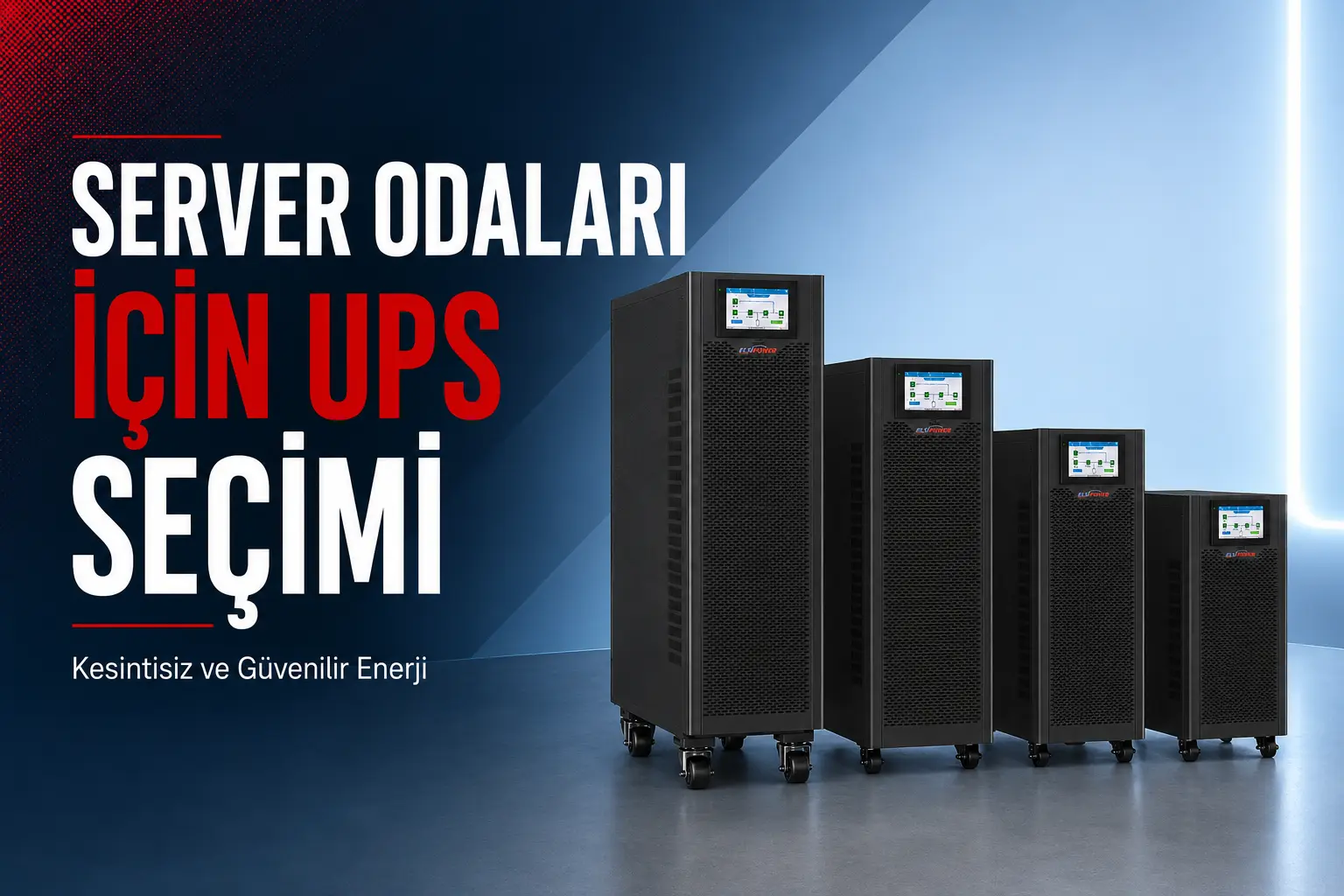
Server rooms contain servers, data storage systems, network devices and other critical IT infrastructure that must operate without interruption. A power failure, voltage fluctuation or sudden change in the mains supply can cause more than an unexpected shutdown. It may also result in data loss, hardware damage and service interruptions. For this reason, UPS selection for a server room should not be based solely on the kVA rating of the device.
To choose the right server UPS system, the actual power consumption of the connected equipment, future capacity requirements, required battery runtime, electrical phase configuration and redundancy needs must be evaluated together. ELSIPOWER’s uninterruptible power supply solutions can be configured for different applications, ranging from small server cabinets to high-capacity data center infrastructures.
Why Is a UPS Necessary in a Server Room?
The mains supply may not always provide the stable and clean power required by servers and network devices. Short power interruptions, undervoltage, overvoltage, frequency variations and sudden voltage surges can create serious risks for sensitive electronic systems.
A properly selected uninterruptible power supply can protect a server room against the following risks:
- Unexpected server shutdowns caused by power failures
- Loss of unsaved data or corruption of files
- Damage to power supplies and electronic boards caused by voltage fluctuations
- Failure of switches, modems, routers and security devices
- Interruption of internet, ERP, accounting and other business systems
- A power gap before the generator starts supplying the load
- Loss of productivity and revenue due to unplanned downtime
The purpose of a UPS is not limited to supplying energy during a power failure. A system with the correct technology also helps provide stable and reliable power to connected equipment. For detailed information about UPS technologies and their operating principles, you can review our guide explaining what an uninterruptible power supply is and how it works.
Which Type of UPS Should Be Used in a Server Room?
Servers, data storage systems and network equipment are considered critical loads. Therefore, an online double-conversion UPS is generally preferred for server rooms. In an online UPS, the connected load is continuously supplied through the inverter, providing a high level of protection against electrical disturbances in the mains supply.
Online UPS
An online UPS is designed to protect critical equipment against power failures, voltage fluctuations, frequency variations and other mains supply problems. When a power failure occurs, there is no transfer interruption that could affect sensitive server systems as the UPS switches to battery operation.
Single-phase or three-phase online UPS systems can be used in small and medium-sized server rooms. The required input and output phase configuration should be determined according to the building’s electrical infrastructure and the total connected load.
Rack Mount UPS
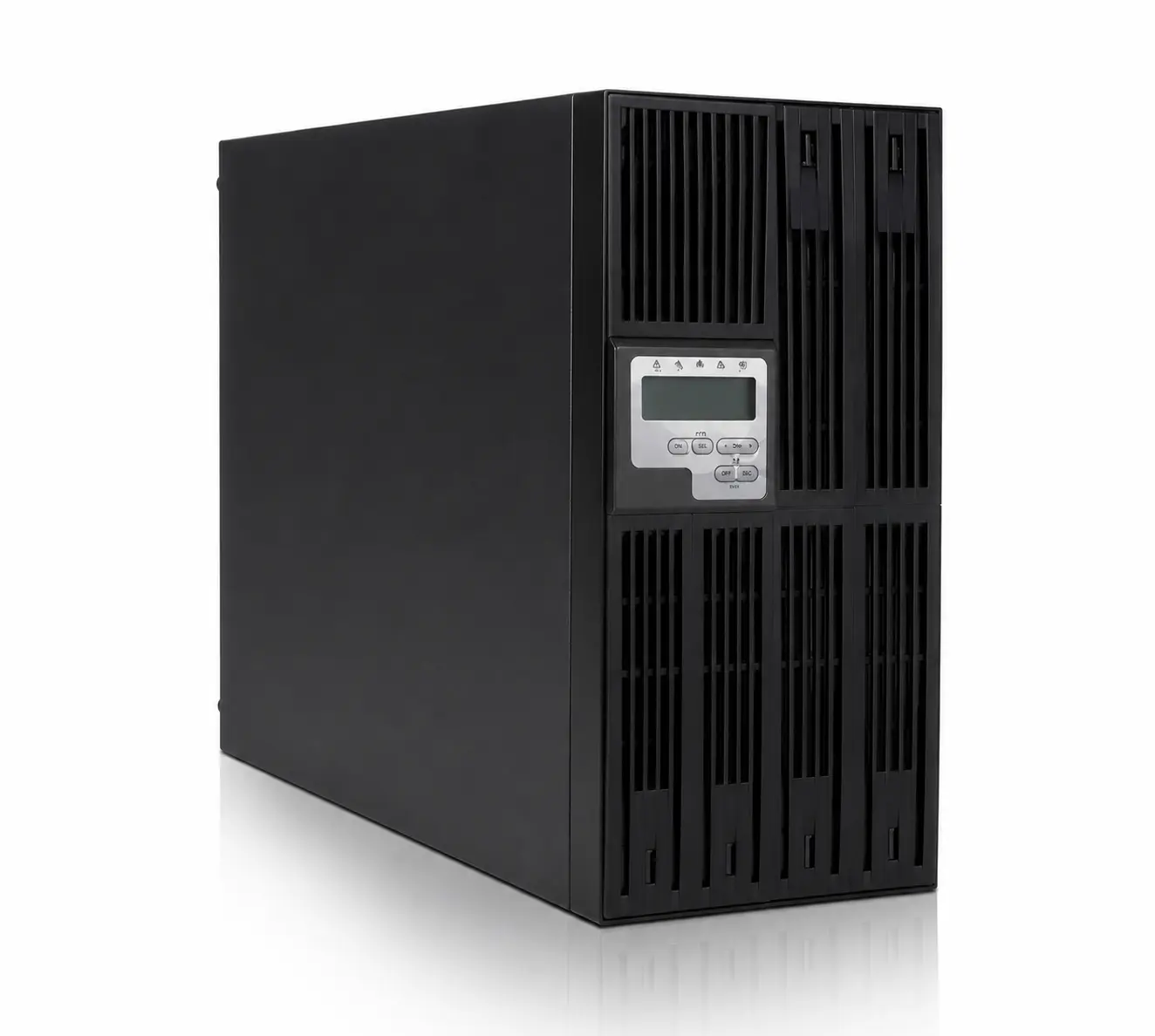
Rack mount UPS systems can be installed directly inside a server cabinet, helping businesses save valuable floor space. They are particularly suitable for compact IT infrastructures consisting of several servers, switches, routers and storage devices. ELSIPOWER 6–10 kVA rack mount online UPS systems can be considered for server cabinets and critical network infrastructures.
When selecting a rack mount UPS, the unit height, cabinet depth, airflow, total weight and external battery connection options should also be checked.
Modular UPS
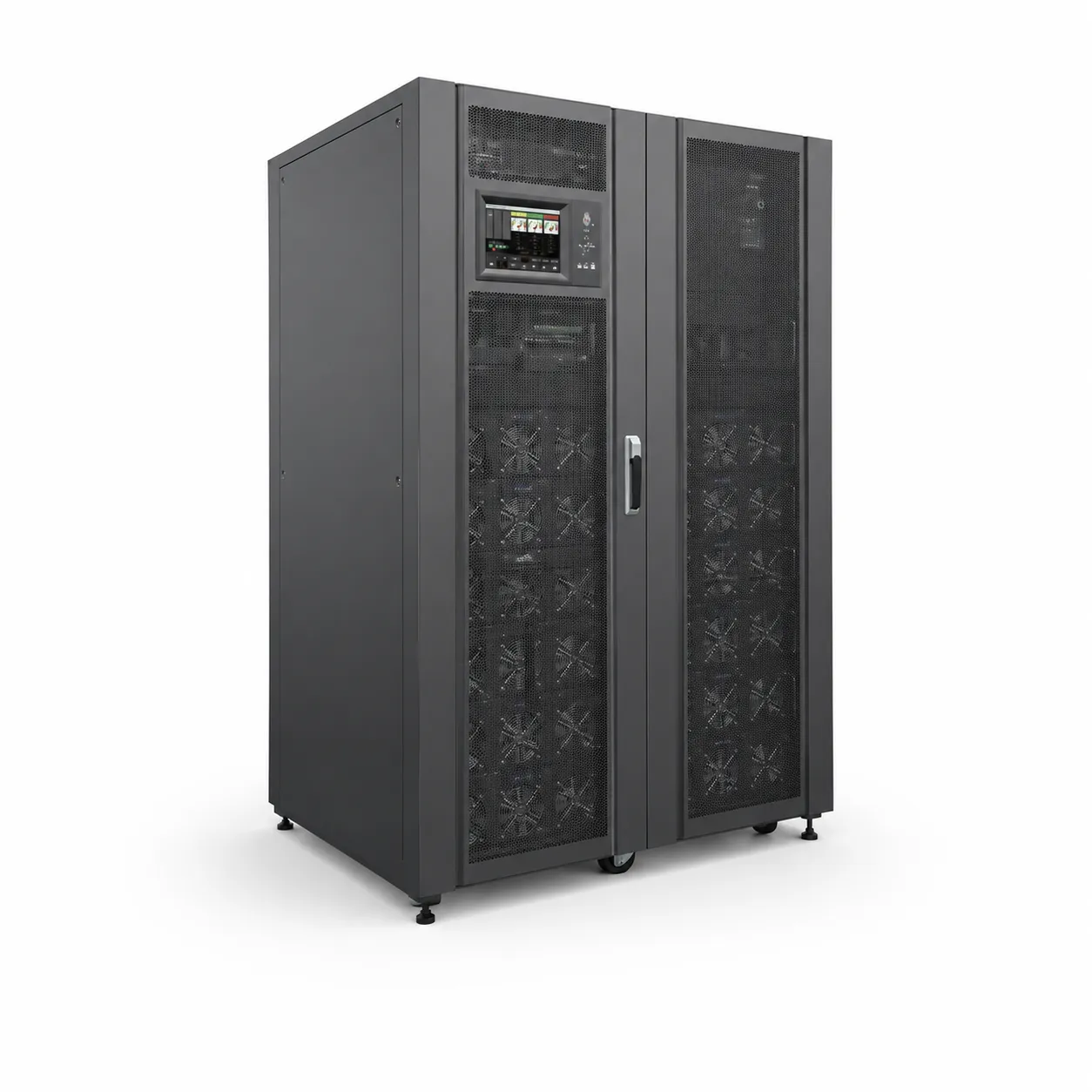
Modular UPS systems offer significant advantages for server rooms and data centers that require high availability, easy capacity expansion and redundant operation. These systems consist of individual power modules, allowing capacity to be increased by adding new modules when the chassis and electrical infrastructure support expansion.
A modular UPS can provide a suitable architecture for facilities requiring N+1 redundancy. If one power module becomes unavailable, the remaining modules are designed to continue supporting the critical load. However, the total load must not exceed the available capacity of the remaining modules if redundancy is to be maintained.
How Is Server UPS Capacity Calculated?
Before selecting the UPS capacity, the power consumption of every device in the server room should be measured or obtained from the manufacturer’s technical data. The calculation should include not only the servers but every piece of equipment that will be supplied by the UPS.
The following equipment is generally included in a server room load calculation:
- Physical servers
- Data storage and backup units
- Switches, routers and modems
- Firewalls and other security devices
- KVM equipment and cabinet monitors
- IP telephone and communication systems
- Other critical auxiliary equipment connected to the UPS
Air-conditioning units and motor-driven equipment with high starting currents should not normally be connected to the same UPS as the servers unless the system has been specifically designed for these loads. A separate and properly engineered power continuity solution should be planned for server room cooling systems.
Difference Between Watts and VA
The actual power consumption of servers and network equipment is expressed in watts or kilowatts, while UPS capacity is usually specified in VA or kVA. These values are not necessarily equal because of the power factor.
A basic calculation can be made using the following formula:
Apparent power (VA) = Actual power (W) / Power factor
For example, if a server room has a total actual load of 4,000 W and a power factor of 0.9 is used for the calculation, the required apparent power will be approximately 4,444 VA. However, selecting a 5 kVA UPS that operates close to this limit may not provide sufficient capacity for future expansion and operational safety. The actual kW output capacity of the UPS must always be checked in the manufacturer’s technical specifications.
Should Additional UPS Capacity Be Reserved?
Operating a UPS continuously at or near its maximum capacity can make it difficult to add new servers, handle temporary increases in load or expand the system. Therefore, an additional capacity margin of at least 20–30% above the measured load is commonly considered. A larger expansion allowance may be necessary for infrastructures expected to grow rapidly.
A basic UPS capacity calculation can be completed as follows:
- Determine the watt consumption of every device that will be connected to the UPS.
- Calculate the total consumption of all devices operating simultaneously.
- Check the UPS power factor and actual kW output capacity.
- Add an appropriate safety and future expansion margin.
- Determine the battery system according to the required backup time.
- Select a UPS compatible with the single-phase or three-phase electrical infrastructure.
For additional calculation examples, you can review our guide on how to determine the required UPS capacity. Final capacity selection should be based on measurements and a technical site survey to avoid choosing an undersized or unnecessarily oversized system.
Server Room UPS Selection Table
The following table provides a general preliminary assessment. The number of servers alone is not sufficient to determine UPS capacity because server hardware configurations and actual power consumption can vary significantly.
| Server room configuration | Approximate requirement | Suitable UPS configuration | Important criterion |
|---|---|---|---|
| Small cabinet and basic network system | Low power consumption | Online rack mount UPS | Actual watt capacity and battery runtime |
| Several servers and a data storage system | Medium power consumption | 6–10 kVA online UPS | Capacity margin and external battery option |
| Medium-sized server room | Medium or high power consumption | Single-phase or three-phase online UPS | Phase configuration, bypass and monitoring |
| Growing critical IT infrastructure | Variable and increasing power demand | Modular UPS | Scalability and N+1 redundancy |
| Data center with high availability requirements | High power consumption | Redundant modular or parallel UPS architecture | Fault tolerance, maintenance bypass and remote monitoring |
How Should UPS Battery Runtime Be Determined?
The kVA rating indicates the amount of load a UPS can support, while the battery system determines how long that load can be supplied during a power failure. Therefore, a UPS with a high kVA rating does not automatically provide a long backup time.
The following factors should be considered when determining the required server room battery runtime:
- The time required for the generator to start
- The time required to shut down servers safely
- Whether the facility has a generator
- The typical duration and frequency of power failures
- How long critical services must remain operational
- Potential capacity loss as batteries age
In facilities equipped with a generator, the UPS usually supplies the load until the generator starts and its output becomes stable. In locations without a generator, external battery cabinets may be required to provide sufficient time for a controlled shutdown or extended operation. When both systems are used together, UPS and generator compatibility must be evaluated carefully.
Battery runtime depends on the load percentage, battery capacity, number of batteries, system efficiency, ambient temperature and battery condition. You can find the relevant calculation criteria in our UPS battery runtime calculation guide.
Should You Choose a Single-Phase or Three-Phase UPS?
The choice between a single-phase and three-phase UPS depends on the total power requirement, the existing electrical infrastructure and load distribution. An online UPS with a single-phase input and output may be sufficient for a small server room. Three-phase UPS systems can be considered for larger server rooms and data centers with higher power requirements.
| Criterion | Single-phase UPS | Three-phase UPS |
|---|---|---|
| Electrical infrastructure | Single-phase | Three-phase |
| Application scale | Small and medium-sized systems | Medium and high-capacity systems |
| Load distribution | Supplied through one phase | Requires balanced distribution across phases |
| Engineering requirement | Load and circuit capacity must be checked | Phase balance and infrastructure require detailed evaluation |
The phase configuration should not be selected solely according to an estimated power requirement. The existing electrical panel, cabling, input voltage and planned capacity expansion must be assessed together. You can review our detailed comparison of single-phase and three-phase UPS systems for more information.
Why Are Redundancy and Bypass Important?
For server rooms that cannot tolerate downtime, relying on a single UPS may not provide sufficient operational security. The system architecture should account for potential UPS failures, maintenance procedures and capacity limitations.
N+1 Redundant System
In an N+1 architecture, the system includes one additional power module or equivalent capacity beyond what is required to support the critical load. In a properly designed system, the remaining capacity can continue supplying the load if one module becomes unavailable.
Static and Manual Bypass
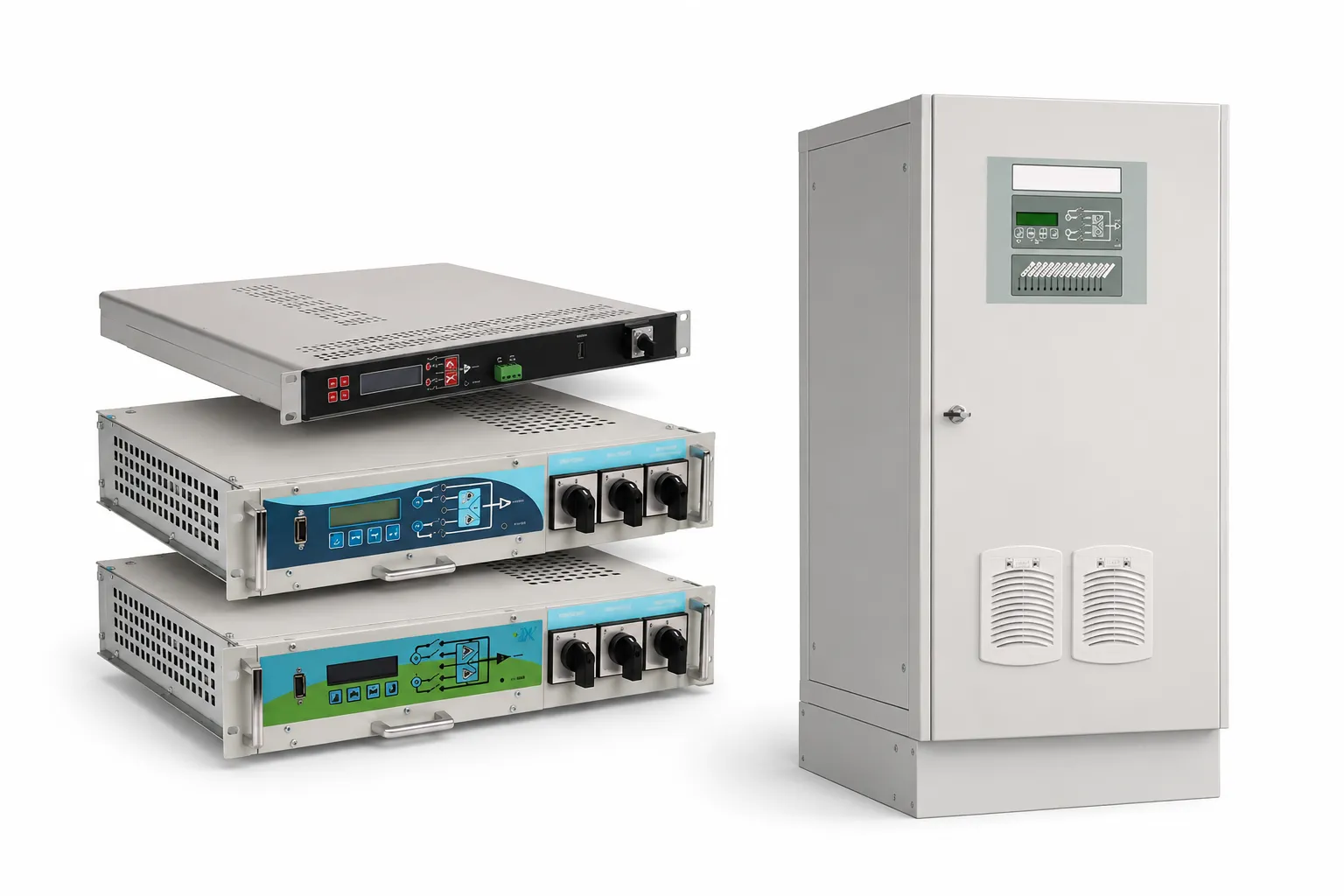
A static bypass can transfer the load to an alternative power source under certain fault or overload conditions. An external manual maintenance bypass allows the UPS to be isolated for servicing while the critical load continues to receive power through a controlled alternative path.
The presence of a bypass line alone is not sufficient. Cabling, protection equipment, switching procedures and operating scenarios must be correctly designed and tested.
Remote Monitoring and Controlled Server Shutdown
SNMP or other compatible communication solutions can be used to monitor the server UPS over the network. Monitoring power failures, low battery warnings, bypass status, overload conditions and system faults allows technical teams to respond more quickly.
A remote UPS monitoring system may provide the following functions:
- Monitoring UPS input and output values
- Viewing the battery condition and load percentage
- Receiving power failure and system fault notifications
- Reviewing event records
- Performing controlled server shutdowns with compatible software
The software used for controlled shutdown procedures should be compatible with the operating systems, virtualization platforms and network architecture used in the facility.
What Physical Conditions Should a UPS Room Provide?
Even a correctly selected UPS may experience a shorter battery and component life if it is operated in an unsuitable environment. Temperature, ventilation, cleanliness and service access can directly affect system reliability.
The following requirements should be considered when installing a UPS:
- The temperature and humidity range specified by the manufacturer should be maintained.
- The air inlet and outlet openings of the UPS must not be obstructed.
- Sufficient clearance should be provided for servicing and maintenance.
- The area should be protected against dust, moisture and direct sunlight.
- The floor must support the total weight of the UPS and battery cabinets.
- Cable sizes, circuit breakers and grounding must comply with the project requirements.
- Battery cabinets should be installed in a secure and controlled area.
- Access to the UPS and battery system should be restricted to authorized personnel.
For more detailed information about UPS systems and suitable installation conditions, you can review our UPS room, fault and maintenance guide.
Common Mistakes When Selecting a Server UPS
An incorrect UPS capacity or system architecture can create risks in terms of both investment cost and business continuity. The most common mistakes include:
- Selecting UPS capacity based only on the number of servers
- Assuming that VA and watt values are the same
- Failing to check the actual UPS output power factor
- Not allowing capacity for future expansion
- Selecting a UPS without calculating the required battery runtime
- Connecting air-conditioning or motor-driven loads to the same UPS without engineering calculations
- Failing to evaluate UPS and generator compatibility
- Ignoring bypass and redundancy requirements
- Not considering remote monitoring and controlled shutdown functions
- Neglecting periodic maintenance and battery testing
How Often Should a Server UPS Be Serviced?
A server room UPS is a critical system that operates continuously. Fans, batteries, electrical connections and electronic components can deteriorate over time. Therefore, the UPS should not be inspected only after a fault occurs.
Periodic maintenance generally includes checking operating values, battery groups, fans, electrical connections, alarm records, bypass operation and environmental conditions. The maintenance interval should be determined according to the UPS capacity, load percentage, operating environment and manufacturer’s recommendations.
The practical service life of UPS batteries varies according to battery technology and operating conditions. High temperatures, frequent discharges and insufficient maintenance can accelerate capacity loss. Batteries should be evaluated according to capacity test results rather than age alone. For more information, review our guide explaining when UPS batteries should be replaced.
Server Room UPS Engineering with ELSIPOWER
Selecting the correct UPS system for a server room requires a combined evaluation of load measurements, power capacity, battery runtime, phase configuration, redundancy, generator compatibility and physical installation conditions. ELSIPOWER provides UPS site survey and project engineering services to determine the most suitable solution.
A rack mount online UPS may be suitable for a small server cabinet, while a medium-sized server room may require a higher-capacity online UPS. A modular and redundant UPS architecture may be more suitable for a growing data center. The correct solution should consider both the current load and the future growth of the business.
To determine the correct UPS capacity and battery runtime for your server room, contact ELSIPOWER by calling +90 212 210 75 51 or send your technical requirements to elsi@elsi.com.tr.
If your existing server UPS has an alarm, reduced battery runtime, bypass problem or performance issue, you can request inspection and maintenance support through our UPS technical service.
Frequently Asked Questions
Which type of UPS should be used in a server room?
An online double-conversion UPS is generally recommended for server rooms. A rack mount online UPS may be suitable for small cabinets, while a modular UPS can be preferred for server rooms requiring higher capacity and redundancy. The final selection should be based on the total load, phase configuration, battery runtime and future growth plan.
How many kVA are required for a server room UPS?
The required kVA rating cannot be determined solely by the number of servers. The total watt consumption of the servers, storage systems and network equipment should be calculated. The UPS power factor must also be checked, and an additional capacity margin of at least 20–30% is generally considered for safety and future expansion.
How long should a server UPS operate on battery power?
The required runtime depends on the operating scenario. In a facility with a generator, the battery should provide sufficient time for the generator to start and stabilize. Without a generator, a longer runtime may be required to shut down servers safely or maintain critical services.
Is an online UPS necessary for a server room?
An online UPS is strongly preferred for critical server systems because it provides uninterrupted transfer and a high level of protection against mains supply problems. However, the technical requirements of the system should be evaluated through a site survey and load analysis.
Should a server room use a single-phase or three-phase UPS?
A single-phase UPS may be sufficient for small and medium-capacity server rooms. A three-phase UPS can be preferred for higher-capacity systems. The decision should be based on the total power requirement, building infrastructure, phase balance and future capacity expansion.
Can servers and air-conditioning units be connected to the same UPS?
Air-conditioning units are motor-driven loads that can produce high starting currents. They should not normally be connected to the same UPS as the servers unless the system has been specifically designed for both loads. A separate power continuity solution should be planned for server room cooling.
Is an SNMP card necessary for a server UPS?
An SNMP card is not mandatory for every system, but it offers important advantages in critical server rooms, including remote monitoring, alarm notifications, event records and controlled shutdown procedures. Compatibility with the existing IT infrastructure should be checked.
How often should a server UPS be serviced?
The maintenance interval depends on the UPS model, load percentage, environmental conditions and manufacturer’s recommendations. Regular preventive maintenance, battery testing, fan inspections and alarm record reviews can help reduce the risk of unplanned downtime in critical server rooms.