UPS sistemlerinin çalışması, UPS odası gereksinimleri, en sık karşılaşılan UPS arızaları, bakım süreçleri ve profesyonel teknik servis çözümleri hakkında kapsamlı rehber.
UPS Nedir? UPS Açılımı, UPS Odası, Arızaları ve Bakım Rehberi
11 Temmuz
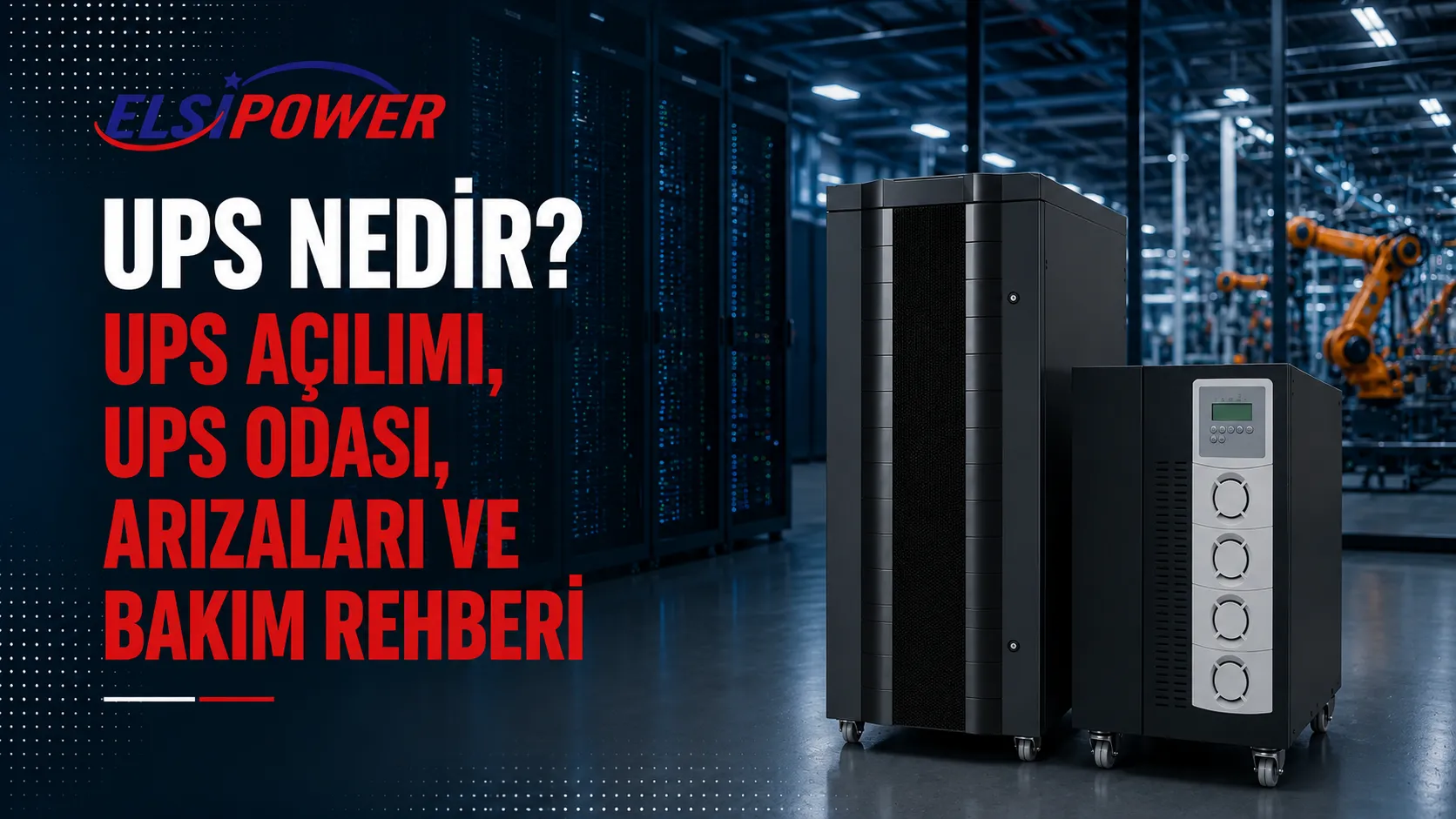
What Is a UPS? UPS Meaning, UPS Room Requirements, Operating Principle, Faults and Maintenance
A UPS is an uninterruptible power supply that temporarily powers connected equipment from its batteries when utility power fails or a serious mains problem occurs. It helps prevent computers, servers, network devices, security systems and production equipment from shutting down unexpectedly. With the appropriate topology, it can also protect equipment against voltage fluctuations and other power-quality problems.
This comprehensive guide answers “What is a UPS?”, “What does UPS stand for?” and “How should a UPS room be designed?” It also explains how a UPS works, the main UPS types, common applications, capacity calculation, battery runtime, typical faults and preventive maintenance.
If you have a technical question about a new or existing UPS system, share your load list and required runtime with the Elsipower team. Call +90 212 210 75 51 or email elsi@elsi.com.tr.
What Is a UPS?
The shortest answer to “What is a UPS?” is an uninterruptible power supply. A UPS monitors utility power, charges its batteries and supplies connected loads for a defined period when the mains fails. Depending on its technology, it can also reduce the effects of undervoltage, overvoltage, frequency changes, sudden voltage events and electrical noise.
A UPS is not normally designed to power an entire facility for many hours. Its primary purpose is to bridge the gap between an outage and generator start-up, keep critical systems running or provide enough time for an orderly shutdown. Where longer backup is required, the UPS and generator can be engineered as one coordinated system.
A correctly selected UPS reduces the risk of data loss, uncontrolled shutdown, production stoppage, network failure and damage to sensitive electronics. An undersized system, ageing batteries or poor maintenance, however, may prevent it from providing the expected protection during an outage.
What Does UPS Stand For?
UPS stands for Uninterruptible Power Supply. In technical projects, the term describes a power-protection system built around batteries, a rectifier, inverter, bypass circuits and control units. It may also be described as a backup power supply, battery backup or power protection system.
In this context, UPS refers to electrical power equipment, not the international parcel-delivery company. Adding terms such as “power supply,” “battery backup” or “uninterruptible power” helps distinguish the two meanings in an online search.
Are a UPS and a PSU the same thing?
No. A PSU is the internal power supply in a computer. It converts AC utility power into the DC voltages used by the computer’s components. A UPS is installed upstream of the computer or another load and provides backup energy during an outage. The computer PSU rating affects UPS sizing, but the two devices perform different jobs.
What Does a UPS Do?
The primary function of a UPS is to maintain power during an outage. Depending on topology and specifications, it may also:
- Supply connected equipment from batteries during a power failure
- Provide time for computers and servers to shut down safely
- Reduce the risk of data loss and file corruption
- Help limit the effect of undervoltage and overvoltage
- Provide more stable voltage and frequency in online UPS systems
- Support critical loads while a generator starts
- Help maintain operations in factories, server rooms and communications sites
A UPS is not a fit-and-forget device. Batteries gradually lose capacity, while fans, capacitors and electrical connections are affected by age and environmental conditions. Regular inspection is necessary to confirm that the system will be ready when utility power fails.
How Does a UPS Work?
Depending on the model, a UPS may contain a rectifier/charger, inverter, battery bank, static bypass, maintenance bypass and control units. The rectifier converts incoming AC to DC. Batteries store energy chemically. The inverter converts DC back into AC for the connected load.
When utility power fails, the control system detects the condition and battery energy reaches the load according to the UPS topology. In an online double-conversion UPS, the load is already supplied by the inverter, so there is no transfer time. A line-interactive UPS switches its inverter to battery operation after a short transfer time.
What is UPS bypass mode?
Bypass is an alternative power path that allows the load to be supplied by a suitable utility source instead of the inverter under defined conditions. It may be used during overload, an inverter fault or maintenance. Bypass mode does not always indicate a fault, but leaving a critical load on bypass without understanding the reason may reduce the expected protection level.
What Are the Main UPS Types?
Online UPS
An online UPS is a double-conversion system that continuously supplies the load through its inverter. Because it offers zero transfer time and comprehensive power conditioning, it is preferred for server rooms, data centres, factories, laboratories, hospitals and other critical loads.
Line-interactive UPS
A line-interactive UPS normally powers the load from utility power and uses automatic voltage regulation to correct defined voltage variations without using its batteries. During an outage, it switches to battery after a short transfer time. It is commonly used for office computers, modems, CCTV, POS devices and low-to-medium criticality systems.
Offline UPS
An offline or standby UPS supplies the load largely from utility power during normal conditions. Its battery and inverter take over when the mains fails. It is an economical option for basic, low-power applications.
Modular UPS
A modular UPS is a scalable system whose capacity is created by power modules operating in parallel inside a common frame. A suitable design can support future capacity expansion and N+1 redundancy, making it relevant to growing data centres and critical facilities.
| UPS type | Transfer arrangement | Typical use |
|---|---|---|
| Online UPS | Zero transfer time | Critical and sensitive loads |
| Line-interactive UPS | Short transfer time | Offices and general IT loads |
| Offline UPS | Battery transfer time | Basic low-power applications |
| Modular UPS | Usually online double conversion | Growing facilities requiring redundancy |
Where Are UPS Systems Used?
- Server rooms, data centres and network systems
- Factories, CNC machines and automation lines
- Hospitals, laboratories and healthcare facilities
- Banks, financial institutions and payment systems
- CCTV, alarm and access-control systems
- Telecommunications and communications infrastructure
- Office computers, workstations and POS equipment
- Hotels, shops, restaurants and commercial premises
- Public institutions, schools and campuses
- Automatic shutters, barriers and specialised motorised doors
UPS selection changes with the application. A unit suitable for a modem may be inadequate for a server room or production line. Actual load, criticality, phase configuration, starting current and required runtime must be assessed together.
What Is a UPS Room? How Should a UPS Room Be Designed?
A UPS room is a controlled technical area where the uninterruptible power supply, battery cabinets, electrical switchgear and related equipment can operate safely and remain accessible for maintenance. Installing a large or critical UPS in an ordinary storage room, beneath a staircase or in an unventilated enclosure can reduce equipment life and operating reliability.
Every UPS room must be designed by qualified specialists with reference to the manufacturer’s installation instructions, the electrical design, fire-safety requirements, battery technology and applicable regulations. The following points are general guidance and do not replace a site-specific engineering design.
1. Temperature and air conditioning
High temperature can shorten the life of UPS electronics and batteries. Room temperature and humidity must remain within the permitted product range, with the battery manufacturer’s recommended temperature used as a design target. Cooling capacity should be calculated from UPS heat loss, batteries, switchgear, room size and external conditions—not room volume alone.
2. Ventilation
UPS air inlets and outlets must remain unobstructed, and manufacturer-specified cooling and service clearances must be maintained. Required ventilation should also be assessed according to battery type and capacity. The layout should prevent recirculation and local pockets of hot air.
3. Dust, humidity and water risk
The UPS room should be clean, dry and as dust-free as practical. Locations beneath water pipes, areas at risk of roof leaks or flooding, and spaces with high humidity or chemical vapours are unsuitable. Filtration or positive-pressure solutions may be considered for industrial environments.
4. Service clearances and delivery route
Maintain all front, rear and side clearances required for installation and service. Doorways, corridors, lifts and floor loading along the delivery route must be checked before equipment arrives. Materials must never be stored in front of the UPS.
5. Floor and equipment layout
A UPS and its batteries can be extremely heavy. Floor capacity, vibration, anchoring, raised flooring and seismic requirements must be assessed by qualified specialists. Battery cabinets should be positioned to reduce short-circuit, access and maintenance risks.
6. Electrical infrastructure
Input and output cables, protective devices, earthing, short-circuit withstand, selectivity, external maintenance bypass and generator compatibility must be calculated in the electrical design. Neutral and earthing arrangements must not be altered without engineering approval.
7. Fire safety
Fire detection and suppression must be selected according to UPS equipment, battery chemistry and the facility risk assessment. An unsuitable extinguishing method can introduce electrical or chemical hazards. Emergency procedures, warning signs and escape routes should be planned by the relevant specialists.
8. Restricted access
The UPS room should be locked and accessible only to trained personnel. Battery terminals can deliver very high short-circuit current, and hazardous voltages may remain inside equipment even after utility power is isolated.
9. Monitoring and alarms
Temperature, humidity, UPS load, battery alarms and event logs should be monitored remotely where practical. SNMP or building-management-system integration reduces the risk of a developing fault going unnoticed.
10. What should not be stored in a UPS room?
Flammable materials, cleaning chemicals, paper and cardboard, water sources, unnecessary storage and items that restrict airflow should not be kept in a UPS room. The room must not be used as general storage.
If you are planning a new UPS room or are unsure whether an existing room is suitable, send the UPS rating, battery type, room dimensions and photographs to elsi@elsi.com.tr, or call +90 212 210 75 51 to request a survey and technical assessment.
How Is UPS Capacity Selected? How Many kVA Do You Need?
UPS capacity is expressed in VA/kVA, while actual usable power is evaluated in W/kW. The basic apparent-power relationship is:
kVA = kW / power factor
Real-world selection requires more than this formula. Total consumption, UPS output power factor, motor and transformer starting current, non-linear loads, simultaneous operation, future expansion and redundancy must all be considered.
A 1000 W rating printed on a computer PSU does not mean that the computer continuously consumes 1000 W. Similarly, a factory’s total installed power is not necessarily the same as the critical load operating at one time. A site measurement and an accurate load schedule produce the most reliable result.
How Long Will a UPS Run? How Is Battery Runtime Calculated?
UPS runtime is not fixed. The same UPS runs longer at a light load and for less time at a heavy load. Battery capacity and quantity, age, ambient temperature, inverter efficiency and discharge rate all influence runtime.
A correct estimate uses the manufacturer’s runtime tables at the relevant load percentage and battery discharge data. Extended runtime may require external battery cabinets or coordinated UPS-generator operation. Simply multiplying the battery Ah rating can produce misleading results at high discharge currents.
Common UPS Faults and Warning Messages
- Battery fault: Weak batteries, a connection fault or charging problem may be present.
- Overload: The connected load may exceed capacity, or a short-duration high current may have occurred.
- Bypass mode: Overload, a fault, maintenance or an operator command may have transferred the load to bypass.
- Fan fault: A fan may have stopped, slowed down or triggered its monitoring circuit.
- Overtemperature: Check room temperature, airflow, fans and load level.
- Inverter fault: The inverter stage may require technical diagnosis.
- Input or phase fault: Input voltage, frequency, phase sequence or connections may be incorrect.
Repeatedly silencing an alarm or restarting the UPS does not correct its cause. For a critical load, power continuity should be planned before intervention and qualified technical support should be used. Unauthorised personnel must not remove covers because hazardous voltage may be present.
Why Are UPS Maintenance and Technical Service Important?
A UPS display can appear normal while the batteries no longer provide the expected runtime. Preventive maintenance helps identify weak batteries, overheating connections, restricted airflow, fan problems and alarm history before a failure occurs.
Depending on the model and site conditions, maintenance may include:
- General cleaning and visual inspection
- Input, output, bypass and load measurements
- Battery voltage, connection and appropriate testing
- Inspection of fans, capacitors and power components
- Review of alarms and event logs
- Thermal inspection and connection checks
- Verification of bypass and emergency operating scenarios
- A maintenance report with recommended actions
Maintenance frequency depends on manufacturer guidance, equipment age, temperature, dust, load ratio and facility criticality. When requesting UPS technical support, provide the fault code, UPS capacity, make and model and, where possible, a photograph of the display.
UPS Solutions in Istanbul and Throughout Türkiye
Founded in 1978, Elsipower serves businesses throughout Türkiye with UPS selection, site surveys, engineering, installation, commissioning, battery replacement, maintenance and technical service.
In Istanbul, requests are evaluated from major industrial and commercial districts including Beylikdüzü, Esenyurt, Avcılar, Büyükçekmece, Başakşehir, Arnavutköy, Tuzla, Pendik, Kartal, Ümraniye, Sancaktepe, Silivri, Çatalca, Küçükçekmece and Bayrampaşa.
Outside Istanbul, services are planned for industrial facilities, businesses, data centres and critical infrastructure throughout Türkiye, including Kocaeli, Bursa, Tekirdağ, İzmir, Ankara, Konya, Manisa, Sakarya, Gaziantep, Adana, Kayseri, Denizli, Mersin, Eskişehir and Balıkesir.
For questions about UPS capacity, battery runtime, room layout, faults, maintenance or quotations, call Elsipower on +90 212 210 75 51 or email elsi@elsi.com.tr.
Frequently Asked Questions About UPS Systems
1. What is a UPS?
A UPS is an uninterruptible power supply that temporarily powers connected equipment from batteries during an outage and, depending on topology, protects against power-quality problems.
2. What does UPS stand for?
UPS stands for Uninterruptible Power Supply.
3. What is a UPS room?
It is a controlled, secure and serviceable technical area housing UPS equipment, battery cabinets and related electrical infrastructure.
4. What temperature should a UPS room be?
There is no single value for every product. Follow the permitted ranges and recommended targets provided by the UPS and battery manufacturers.
5. Does a UPS room require air conditioning?
If natural ventilation cannot maintain safe temperature under the calculated heat load, correctly sized air conditioning is required.
6. How long does a UPS run?
Runtime depends on connected load, battery capacity, battery age, ambient temperature and inverter efficiency.
7. What is the difference between a UPS and a generator?
A UPS responds immediately using battery energy. A generator produces power from fuel for longer periods but requires time to start and stabilise.
8. What is an online UPS?
It is a double-conversion UPS that continuously supplies the load through its inverter with zero transfer time to battery.
9. Why does a UPS enter bypass mode?
Overload, inverter faults, high temperature, maintenance or an operator command can cause bypass operation.
10. When should UPS batteries be replaced?
Replacement should be based on battery type, temperature, discharge history, test results and actual runtime—not age alone.
11. Does a UPS require maintenance?
Yes. Batteries, fans, capacitors, connections, alarms and operating values should be inspected regularly.
12. How many kVA should my UPS be?
Calculate total kW/kVA, power factor, starting current, simultaneous load, future expansion and required runtime.
Share